
How to Make a Good Presentation
What to Do in a Presentation
Human life exists in society. We are always in contact with people in this society.
We always deal with communication, presentation, conversation, writing, searching.
Even when choosing a restaurant, we pay attention to the service of the waiters. The waiter's appearance, his mastery at work, and his attitude towards the customer are top-notch when we choose that restaurant. The meals may be very nice and of good quality; but the person offering it doesn't offer it as needed; If the face sells vinegar, although the quality of the food, never choose it again.
Our teachers use course CDs, VCDs, projectors, slides, the Internet, computer; they understand our lesson better if they try to present the lesson better.
As a result, we need to know the subject of presentation in every corner of our lives and use it in the most effective way.
Refreshing information, reinforcing, reminding, emphasizing important points; explaining the result of research; presenting laboratory research, expressing research results; Speeches expressing important events and facts are called presentations.
The purpose of the presentation; renewal, research and evaluation of research results, contribute to learning. In presentations, the audience consists of people who are interested in the subject and care is taken to use technical possibilities in the presentation.
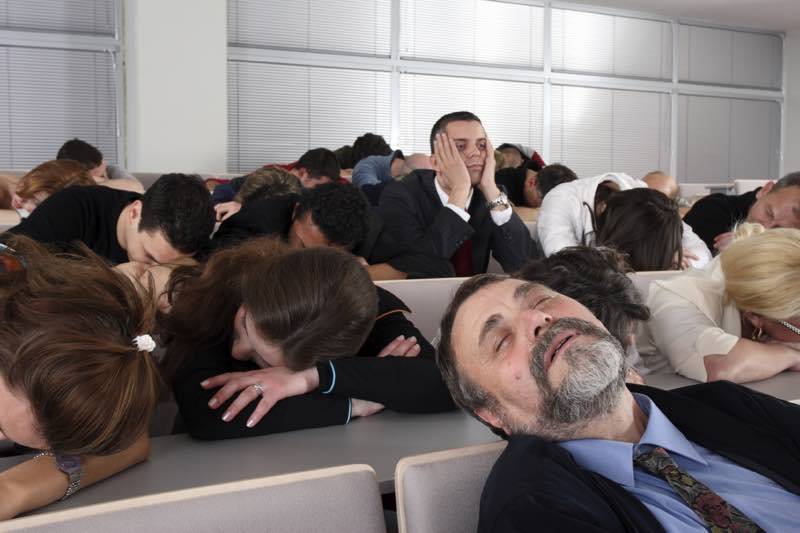
How to Make a Good Presentation
Things to Do Before the Presentation
The presenter should pay attention to certain points before the presentation.
First of all, the topic should be chosen. This topic should be current.
When preparing the presentation, it is useful to use numerous and different sources.
The presentation venue should be seen in advance.
Checking, controlling the materials used will be useful for the presenter to achieve the goal.
What to do during the presentation
During the presentation, a serious, dignified, clean and neat appearance is important.
The person who will make the presentation should pay attention to the tone of voice, gestures, and movements to comfortably use the stage or podium.
- It is more effective for the speaker to communicate with the audience, especially in the eyes, with body language.
- The speaker's voice and words must pay attention to correct pronunciation.
- In the presentation, we can use technological tools such as computer, cd, floppy disk, projection device, slide machines, microphone.
- We should not forget that visual materials will add interest and taste to your conversation just like a joke.
- What is the purpose of using visual materials?
- For the audience to perceive information well,
- Ideas, concepts, etc., to save time,
- To avoid misunderstandings,
- To consolidate ideas,
- To add taste and humor.
- Well-prepared visual material is effective when the speaker uses the topic nicely and harmoniously. Otherwise, visual tools can distract the listener. You should use other speakers instead of using visual materials if your conversation requires visual materials.
Numbers are hard to understand when told. They are easier to understand when displayed visually.
Speaking; 55% image, 38% sound, 7% claims that the slide effect is better here because words are effective. Therefore, during the presentation, slides should contain concise, clear, and effective expressions indicating important aspects of the subject. The audience carefully reads the texts of the slides. Conversations with slides should be given simultaneously.
- In the presentation, some previously prepared documents, charts, and numbers can be used as needed.
- If materials are to be used by another person, harmony between the speaker and the person using the materials is inevitable.
- Unnecessary details should not be introduced in the presentation.
What Should Be Taken Into Account in a Good Presentation?
1- Briefly introduce yourself to the community before the presentation. Where you read it, where you launched it, how you are interested, etc. This allows you to connect with the community, the communication channel opens automatically. Seminars organized by air-conditioned people often appoint a chairman, and she introduces you briefly, but if you don't have one, you should. Don't neglect it. Do you think everyone who comes to the presentation? (Do not exceed 1-2 sentences for presentations under 20 minutes)
2- Before the presentation, but definitely audience rehearsal! No matter who they are, they just listen to you. This allows you to master the subject, the order of the slides, and the time to spend on them.
After the rehearsal, you will be surprised how your performance will increase.
3- Never copy-paste all the words you say in the presentation and read them one by one! An example would be to write only the main lines on the slide. Don't embarrass yourself by filling the slide with text and reading them one by one. Here is the foreign page used in "don't use the presentation file as a teleprompter Don't use" I think it's okay to take that message on the blog long ago if I copy and paste on one slide and face on the screen and read word reading text what would it be like? Don't make such a mistake.
4- Who will come to the presentation? What are their knowledge levels? Adjust the dosing of the presentation according to these parameters, don't indulge yourself in the nation, don't embarrass your work What you don't want to present because you are enthusiastically attached to what you do, but believe that listeners may not be prepared for it and overdose.
5- Appearance is not very important, but be careful not to wear anything smiling. Avoid disasters such as uniform hair, shirt with open gold sleeves, and shirt, don't start from 2-0. Don't think you're the enthusiast type, antipathy.
6- Number slides, provide information for the audience by showing both the current slide number and the total number, for example 21/45. That way they should be able to predict how long they should be patient. Presentation software does this automatically.
7- Please do not use funny clips like MS Office paperclip character. They've already passed. Don't use comic fonts like Comic Sans. Remove graphics from the presentation without aesthetics.
Avoid flickering graphics and extreme page animations. Take care of the background color and the color of the overwritten text, and if you can't, write black on a white background.
8- Don't use very small fonts! Quiet! If you want to display code content and so on, use software that has a zoom function so most people can read the text.
Plan Presentation Time Well
9- Presentation time: 15-20 min is the ideal time. 20 slides on a subject other than deep can be presented as if you practiced at that time. But what if we tell a detailed topic and the session organizers gave us time? Don't exceed 45 minutes. In fact, they can only focus on you for a maximum of 20 minutes. Of course, there are some exceptions and with tactics you can make them listen for 1-2 hours without getting bored:
- Humorous narrative, raising the topic independent of the slide
- Simple analogy and examples chosen from everyday life to ensure good understanding of the subject content.
- Slides with multimedia, photos, illustrations (like short bus trips to the movie). Aman ha; Avoid audio movies.
- Demonstrate practical applications of what you're saying. For example, if you tell AJAX and the phrase is extended, you can exit the presentation and contact the browser to show the real application
- To make a mistake. For example, if you offer code, don't run it the first time. In this way, supporters will refocus on you and try to look for your mistake with you.
- Two-way "full duplex" communication. Let the audience raise the audience in the presentation even if the subject you are talking about is interesting and sleep kidnappers. They can ask questions wherever they want (but ask the askers who will spend time, say you will answer later).
- Look into the eyes of those who come to watch. Ask them questions.
- Avoid presenting on a topic that you do not fully evaluate. Don't answer questions you can't answer and add to your presentation. And don't speak as slowly as telling a story, speak vividly and quickly.
- At the very beginning of the presentation, you should put a copy of the presentation on the Internet. If it's content that you can't put on the Internet, specify it.
- Keep materials, tables, and graphics related to your work. Someone asks, you need it, you have to refer to it or come to the word.
- Present the route and main headers of the presentation with the "contents" header in one of the first slides.
- Record your presentation to see where you make mistakes and where you can improve the conversation; just an mp3 player.
- Clear the desktop and flash drive before the presentation; Make sure you don't enter "Ali Baba" in the Licensed Users window on the Splash screen.
- When you see a "beginner" who presents a presentation to an audience for the first time, support him, make his job easier. If there were errors after the presentation, whisper to him privately.
- Get beautiful job presentations from the Internet and take lessons. Pay attention to the fonts, images, and slide structure that professional companies (such as Nokia, Novell, etc.) Or the person doing the work again download presentation slides from the Internet.